for working djs
The DJ request app that answers back
REQ is a free DJ request app for iPhone and Android. Your crowd scans a QR code, picks a song and sets an amount, with nothing to install. The request lands on your phone, you accept, gift or pass in one tap, and the card is only charged if you accept.
iphone · ipad · free
android · free
- 80%
- yours on every request collected, Stripe fees included
- 0
- subscription: the app is free
- 1 tap
- to accept, gift or pass
What does a DJ request app do?
A DJ request app takes song requests off the edge of the booth and puts them on your phone. Nobody leans over your decks or shouts a title at you mid-transition. You read requests when you have two seconds, not when someone else decides you do.
Most of these apps stop there: the request goes up, and the guest finds out by hearing the track or not. REQ also carries your answer back down, to the page the person kept open in their hand.
How REQ works during a set
- 01You show your QRStart your night in the app and put the QR on the booth: on a screen, on a sticker, or both.
- 02The crowd requestsOne scan and a web page opens. No app, no account. They search for a track, set an amount at or above your minimum, and can leave a first name.
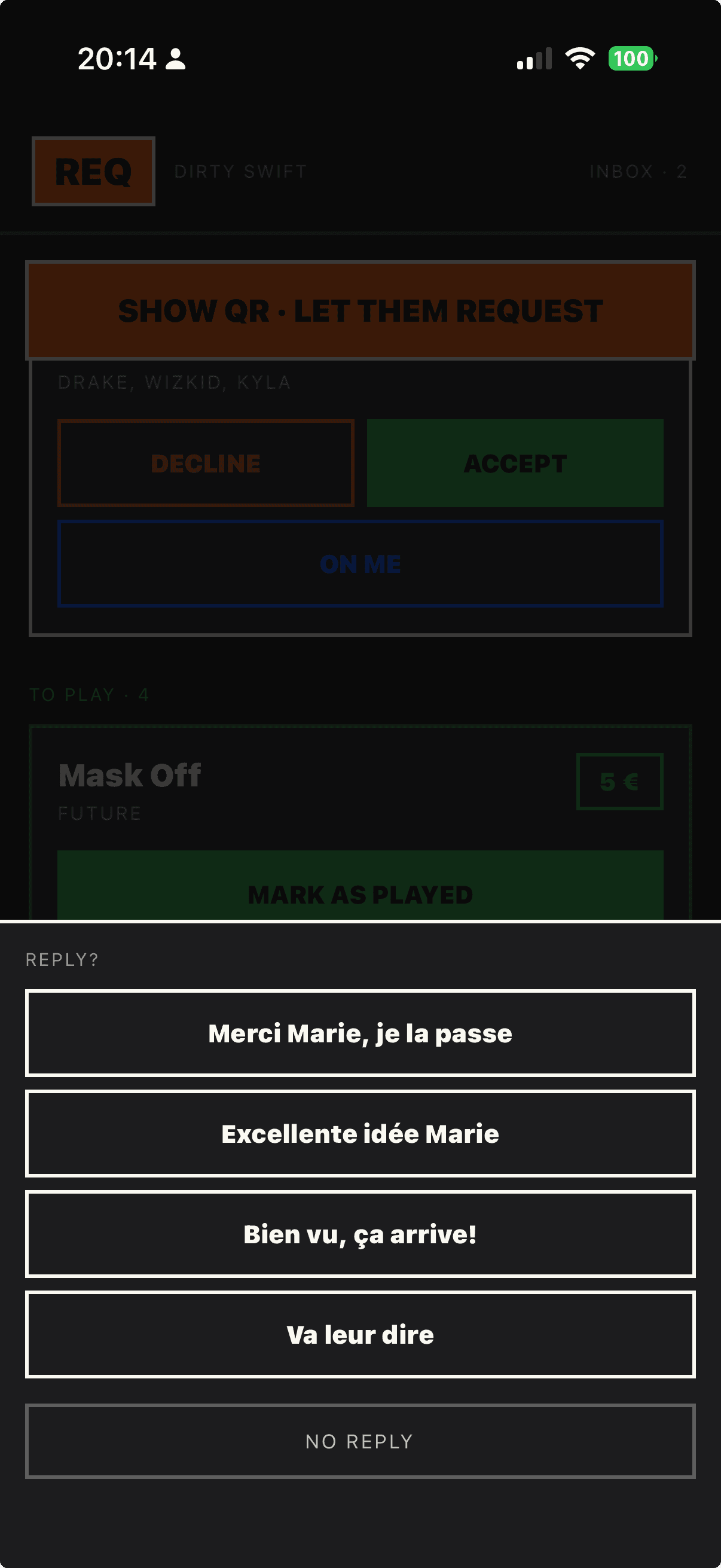
- 03You answer in one tapThe request lands on your phone with the title, the amount and the name if there is one. Accept, gift or pass. Replies are phrases you set up before the night, so the keyboard stays shut.
- 04The money follows your answerAccept and the card is charged. Gift it or pass and the hold is released: nothing is charged and there is nothing to refund. Same if the request expires after 60 minutes.

What does it cost?
The app is free and there is no subscription. REQ takes 20% of each request it actually collects, payment fees included, and you keep 80%. A request you decline, gift or let expire costs nobody anything.
You set your own minimum amount, and Stripe pays out to your own account. On a new account, what you collect in your first 7 days is paid out 7 days later: a payment security measure that only applies at the start.
If you collect a lot every month, a flat-fee app can work out cheaper. Our comparison of song request apps does the maths, including where REQ loses.
Is REQ the right DJ request app for you?
REQ is built for club and bar DJs who mix live and want the last word on what gets played. The phone screen is made for a two-second look: big buttons, high contrast, no typing.
On a Mac, REQ Booth keeps requests in a small window above Serato or any other DJ software, so your phone can stay in your pocket.
If you mostly play weddings and want song voting, photo walls or games in the same tool, an event platform will suit you better. REQ only does requests.
Frequently asked questions
Is REQ free for DJs?
Yes. The app is free on the App Store and Google Play, with no subscription. REQ only earns 20% of the requests it actually collects, payment fees included, so you keep 80%.
Do guests need to download an app to request a song?
No. They scan your QR code and a web page opens in their browser. There is no app to install and no account to create. They search for a track, set an amount and can leave a first name.
What happens when I decline a request?
Nothing is charged. A song request only places a hold on the card. If you decline it, gift it or let it expire, the hold is released and the money never leaves the account, so there is no refund to chase. When you decline, the page the guest kept open says so, with your phrase if you send one. An amount sent without a song request is different: it is charged straight away, because there is nothing to accept.
Does REQ work with Serato, rekordbox or VirtualDJ?
It runs alongside them. REQ Booth is a Mac window that stays on top of any DJ software: requests arrive live and you answer with a click. It does not read or write your library. Without a Mac, you use the phone app. There is no Windows version yet.
Which countries does REQ work in?
DJs can get paid in most of Europe, including the UK and Switzerland, and in the US and Canada, in the currency of their Stripe account. The request page your crowd sees comes in English, French, German, Spanish, Italian and Dutch.
Can I use it this weekend?
Yes. Download the app, show your QR and start taking requests. You can finish setting up your payouts later: what you collect waits for you until they are on.
Keep reading
The app is live.
Your QR on the booth, requests on your phone, your answer in one tap. Free, no subscription.
iphone · ipad · free
android · free
updated · 2026-11-05